
CoinSnap - Coin Identifier
Next Vision LimitedTools
4.67.77K Reviews
- Version
- 2.10.2
- Installs
- 10.00M
- Age Rating
- Everyone
Screenshots
Our Review of CoinSnap - Coin Identifier
 Analysis by Appyee
Have you ever found yourself staring at a coin and wondering about its history or value? Well, let me introduce you to CoinSnap - Coin Identifier, the app that's like having a numismatic expert right in your pocket. I recently took it for a spin, and here's what I discovered.
When a Coin Needs More Than a Guess
I find a coin identifier most useful when I have a specific question and no reliable reference at hand: What am I looking at, and is it worth setting aside for a closer look? Coin identification by photo can make that first step much faster than paging through a general guide, especially when a coin comes from a country or period I do not know well. CoinSnap is designed around that quick visual check, then gives collectors a place to keep track of what they have found.
A realistic use is sorting through a small box of inherited or travel coins before deciding what deserves research. I would photograph each coin, check whether the suggested identity fits the visible design, and make a note of anything uncertain before moving to the next one. That is a more sensible use than treating a quick result as a formal appraisal. A camera can help narrow down the possibilities, but a coin’s condition, authenticity, and market context still matter when money is involved.
CoinSnap is a free tools app from Next Vision Limited, with optional in-app purchases. Its average rating is 4.5 from around 104,000 ratings, and it has passed 10 million installs. It is rated for everyone, so the audience is broad, although the actual appeal is strongest for people curious about coins or building a collection. I would not choose it as a substitute for a specialist’s assessment of a valuable piece, but it can be a convenient starting point for everyday discoveries.
Getting Started with CoinSnap
First things first, downloading and setting up CoinSnap was a breeze. Available on both Android and iOS, the app is lightweight, so it won’t hog your phone’s storage. Once installed, you’re greeted with a clean and intuitive interface. No clutter, just straight to the point, which I appreciate.
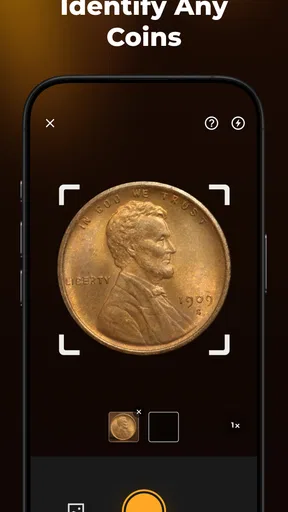
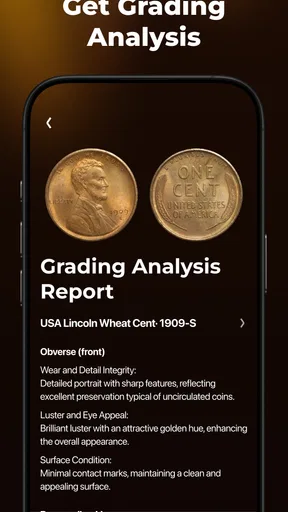
To get started, all you need to do is snap a picture of the coin in question. The app uses advanced image recognition technology to identify the coin. It’s almost like magic! In seconds, you’re presented with a wealth of information: country of origin, year, and even historical context. It’s a treasure trove of coin knowledge.
Making the Photo Count
The photograph is the handoff between the physical coin and the app’s identification. I would put the coin on a plain surface, use steady, even light, and frame one side at a time rather than rushing through a pile. Glare can hide small design details, while a busy background gives the camera more visual noise to work around. If a result seems surprising, taking another clear image is a better next move than immediately accepting the first match.
For a two-sided coin, I would keep the front and back together in my own notes or collection workflow so I can compare the identifying details rather than relying on memory. This is especially useful with familiar-looking designs: similar motifs do not always mean the same country, year, or issue. A quick scan is helpful for narrowing the field, but it is not a reason to skip checking the actual lettering and imagery.
There is also a practical difference between identifying a coin and deciding what to do with it. I would use the app first to organize a mixed group, then consult a trusted reference or knowledgeable collector when the result could affect a purchase or sale. That extra step is not a criticism of photo recognition; it is simply a sensible boundary for any camera-based tool dealing with objects whose value can depend on fine details.
Features That Shine
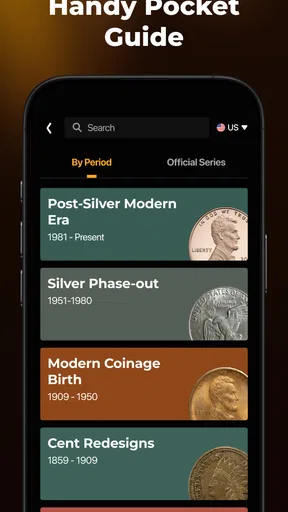
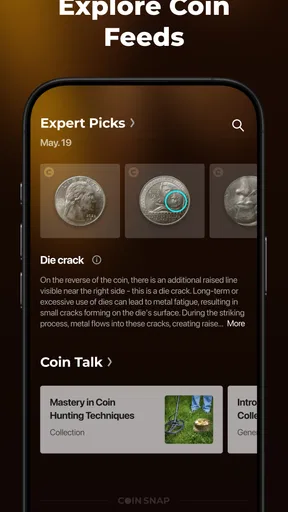
One of the standout features of CoinSnap is the detailed database. It covers coins from all over the world, and new entries are continually added. This ensures you’re getting the most up-to-date info possible.
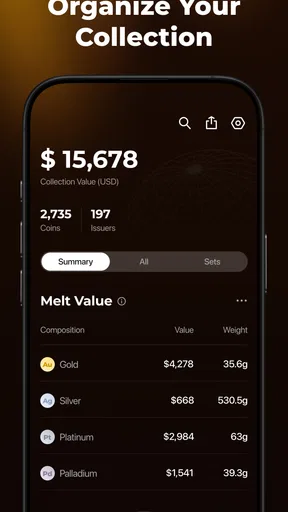
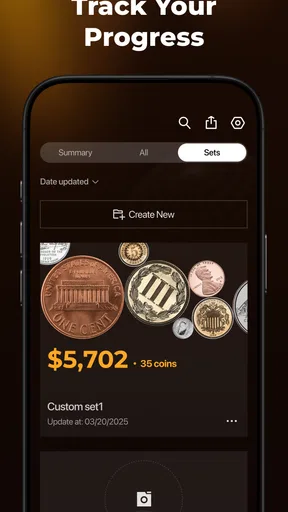
The app also offers a neat little feature where you can keep a digital collection. Say goodbye to those bulky coin albums! You can catalog your finds, add notes, and even track the value of your collection over time. It’s like having a personal numismatic archive right on your phone.
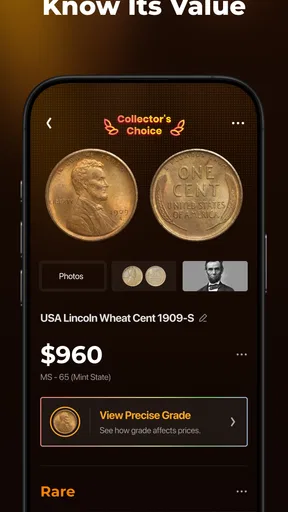
For those who are serious about their collections, the app provides market value estimates. This can be a game-changer if you’re looking to buy, sell, or trade coins.
Turning Identification into a Useful Record
The collection feature is most valuable when I treat it as a working inventory, not just a gallery of attractive finds. A short note can record where a coin came from or why I kept it, which is the sort of context that becomes difficult to reconstruct months later. For a family box, that might mean noting who recognized a particular coin; for a collector, it could be a reminder to verify a tentative identification before making a purchase decision.
Tracking estimated values over time can also help me notice broad changes in the app’s estimate, but I would not read that as a guaranteed sale price or a precise account of what a dealer would offer. Coin condition is an important variable, and a photo may not capture wear or other details well enough for a confident valuation. I would use estimates to decide which items deserve more research, not to set an asking price without checking other sources.
That distinction matters most when handing information to someone else. If I share a result with a fellow collector or use it while discussing a possible trade, I would describe it as an app-generated identification and estimate, then invite the other person to inspect the coin itself. The useful outcome is a better-informed conversation, not an assumption that the screen has settled every question.
Using the App: A Day in the Life
One sunny afternoon, I decided to test the app’s capabilities by heading to a local flea market. Armed with my phone, I came across some intriguing coins. With a quick snap, CoinSnap identified them and provided all sorts of fascinating details. It was like having a personal tour guide narrating the stories behind each coin.
The real-time identification feature is incredibly accurate. I tried to trick it with a few obscure coins, and to my surprise, it identified them with ease. This app is not just for casual collectors; it's a powerful tool for seasoned hobbyists as well.
What the Flea-Market Workflow Can and Cannot Do
At a market, the best use is triage. I can check a coin that catches my eye, learn enough to decide whether I want to ask the seller a question, and keep moving without carrying a stack of reference books. If I am seriously considering a purchase, I would slow down: inspect both sides, compare the visible details with the suggested identity, and avoid letting an estimate alone determine what I am willing to pay.
The app also fits quieter routines. Someone sorting pocket change can identify an unfamiliar piece at home, while a beginner can use the information as a prompt to learn about a design or country. A collector with an established system may find the digital catalog useful for a portable overview, though it need not replace a carefully maintained paper record or specialist collection software. The right choice depends on whether quick camera-based discovery or detailed, controlled cataloging matters more.
For a first-time user, the key question is whether the suggested result matches the coin in front of them. If it does not, I would retake the image in better light and inspect the lettering and date rather than repeatedly scanning from the same angle. If the mismatch remains, I would treat the identification as unresolved and use a coin reference or ask an experienced collector. That approach prevents a fast answer from becoming a false certainty.
What Could Be Better?
No app is perfect, and CoinSnap is no exception. While the app does a fantastic job with identification, it sometimes struggles with coins in poor condition. If the coin is too worn, the app might not be able to identify it accurately. In such cases, a manual input feature would be a helpful addition.
Another minor gripe is the occasional lag when accessing the database in areas with poor internet connectivity. Downloading a portion of the database for offline use might be a solution worth exploring for the developers.
Those limitations shape who should skip it. If I needed dependable offline lookup, highly controlled catalog fields, or a professional appraisal workflow, I would choose a dedicated reference source or work with a specialist instead. CoinSnap is more appealing when a quick scan and a convenient personal record are enough. Its optional in-app purchases are worth checking in the app before committing to any paid features; the core appeal is the fast identification workflow, not a promise that every research need is covered.
The app’s version 2.4.0 is available for devices running Android 9 or later. That makes compatibility a practical check before downloading on an older phone. The price to install is free, while in-app purchases range from $2.99 to $49.99 per item, so I would look carefully at what an optional purchase unlocks and whether it suits how often I expect to use the app.
Who Gets the Most from It
I would recommend CoinSnap to curious beginners, casual finders, and collectors who want a quick way to turn an unknown coin into a lead for further research. It is particularly handy when a mixed group needs sorting, when a coin appears during a trip or market visit, or when I want to keep a simple digital record alongside my physical collection. Its approachable scan-first design lowers the barrier to getting started.
On the other hand, someone who already has a rigorous catalog with custom fields may prefer to keep that system as the authoritative record. Likewise, a buyer evaluating a costly coin should not use a phone estimate as the final word. The app is a discovery and organization tool; where authenticity, grading, or a precise transaction value matters, inspection and specialist knowledge remain the stronger option.
Final Thoughts
Overall, CoinSnap - Coin Identifier is a stellar app for anyone interested in coins, whether you’re a seasoned collector or a curious newbie. Its ease of use, coupled with a robust database, makes it a must-have tool for the hobby.
If you’re keen on diving into the world of numismatics, give CoinSnap a try. You might just find yourself uncovering the fascinating stories behind those jingling coins in your pocket.
Verdict
Strengths of CoinSnap - Coin Identifier
- Accurate coin identification feature.
- Simple and intuitive user interface.
- Extensive database of global coins.
- Quick scanning and results display.
- Educational info about coin history.
Limitations of CoinSnap - Coin Identifier
- Requires internet for coin verification.
- Limited features in the free version.
- Occasional ad interruptions.
- Database updates needed for rare coins.
- No manual coin input option.
Other Releases by Next Vision Limited
View All
Rock Identifier: Stone ID
Lifestyle4.5

Picture Insect: Bug Identifier
Education4.3

Picture Mushroom - Mushroom ID
Education4.1

AntiqSnap: Antique Identifier
Tools4.7
Similar Picks in This Category
View All
Google LLC4.0

Gboard - the Google Keyboard
Google LLC4.5

Google Play services
Google LLC4.3

Google Play Store
Google LLC4.9

Files by Google
Google LLC4.5

SHAREit: Transfer, Share Files
Smart Media4U Technology Pte.Ltd.4.3
Frequently Asked Questions
What is CoinSnap - Coin Identifier and how does it work?
CoinSnap - Coin Identifier is an app designed to help users quickly identify and learn about various coins from around the world. By using your device's camera, the app analyzes the coin's features and provides detailed information such as origin, year, and historical context. It's a handy tool for collectors and enthusiasts alike.
Is the CoinSnap app free to use?
CoinSnap offers a free version with basic features, allowing users to identify a limited number of coins per day. For unlimited identifications and access to advanced features, a premium subscription is available. This allows for a more comprehensive experience, especially for avid coin collectors.
How accurate is the coin identification feature?
The accuracy of CoinSnap's identification feature is generally high, as it uses a sophisticated algorithm and a vast database to compare and match coin images. However, accuracy can depend on the quality of the image captured and the lighting conditions. Users are encouraged to take clear, well-lit photos for the best results.
What additional features does CoinSnap offer?
Beyond identification, CoinSnap provides historical insights, market values, and rarity information for each coin. Users can also create and manage personal collections within the app, track coins they own, and set wish lists for coins they want to acquire. These features make it a comprehensive tool for coin enthusiasts.
Is CoinSnap available for both Android and iOS devices?
Yes, CoinSnap is available for download on both Android and iOS platforms. Users can find it on the Google Play Store and the Apple App Store. The app is designed to be user-friendly on both operating systems, ensuring a seamless experience for all users regardless of their device.
